

Description
Download Orbs Luminum – Image Editor, Lighting Tool, Photo Enhancement
Overview
Orbs Luminum is a compact and intuitive mobile application designed to simplify the process of enhancing photo lighting without requiring advanced editing skills. The app focuses on a single, powerful function: adjusting the direction and intensity of light in digital images to create more dynamic and visually appealing results. It targets amateur photographers, content creators, and casual users who want to improve their photos quickly and effortlessly. The app is particularly useful for those seeking to add depth, realism, or dramatic effect to portraits, landscapes, or everyday snapshots without navigating complex software.
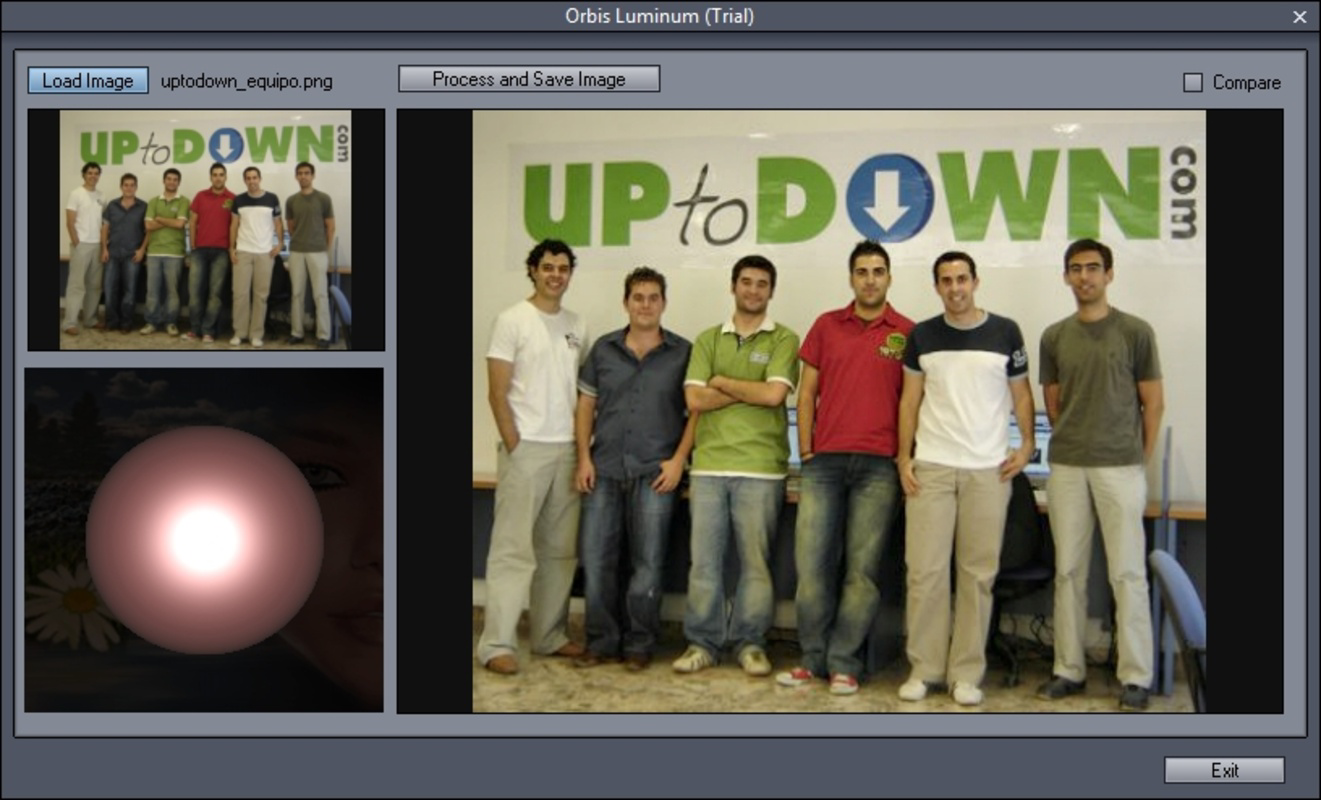
By using an interactive orb to control light direction, Orbs Luminum offers a unique and tactile way to manipulate lighting conditions. This approach allows users to simulate natural light sources such as sunlight, studio lamps, or ambient glow, making it easier to achieve professional-looking results. The app supports real-time preview adjustments, enabling users to see how changes affect the image immediately. Although the developer did not provide additional technical details, the app’s lightweight nature and minimal interface suggest a focus on accessibility and speed.
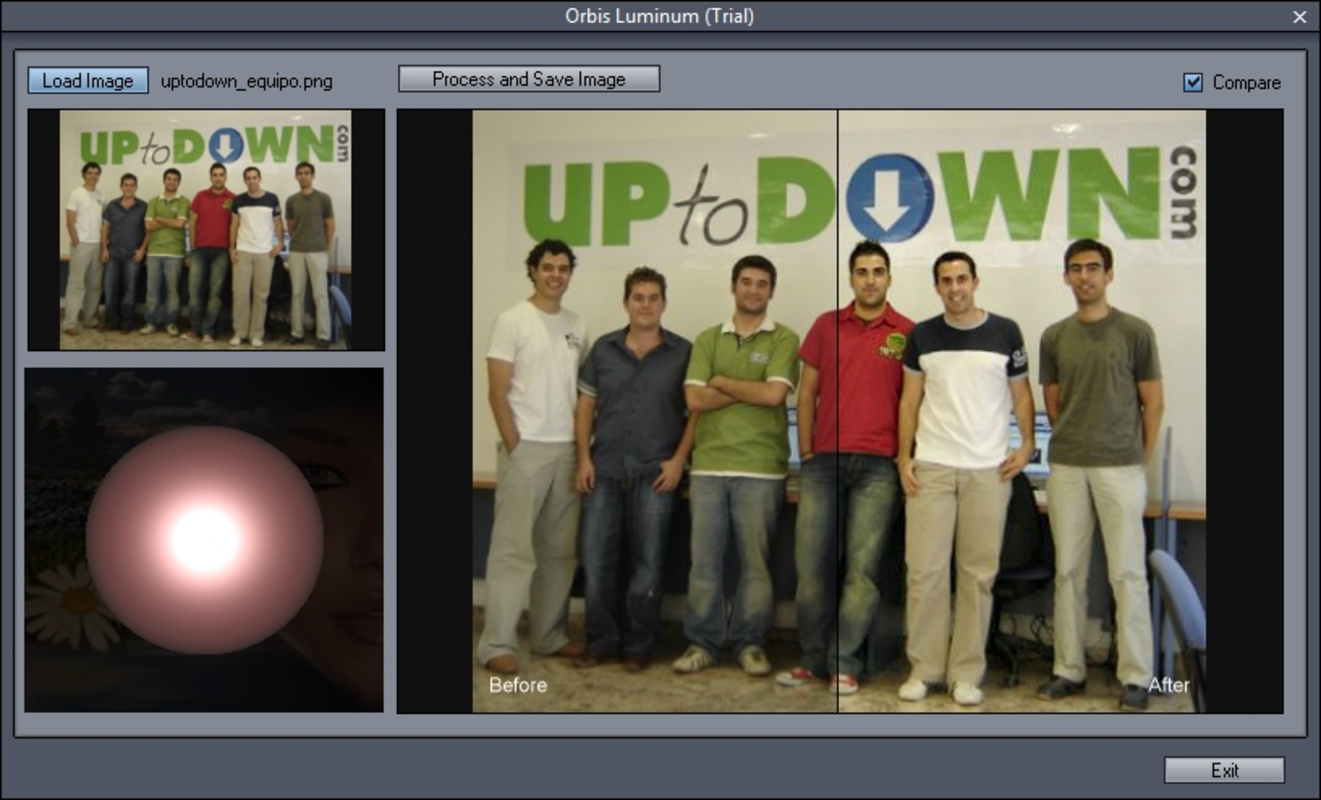
Orbs Luminum fills a niche in the photography app ecosystem by offering a specialized tool for lighting enhancement—a feature often buried in full-featured editors. Its simplicity makes it ideal for on-the-go editing, social media content creation, or quick fixes before sharing images. The inclusion of a before-and-after comparison function further enhances its usability, allowing users to assess the impact of their edits with clarity. The app’s release in 2011 indicates a long-standing presence in the mobile editing space, reflecting a commitment to consistent performance and user experience over time.
Key Features & Functionality
- Simple Interface: The app features a clean, minimal design that prioritizes ease of use. Users can navigate all functions without prior experience in photo editing, making it accessible to beginners and non-technical users.
- Orb Light Direction Control: An interactive orb allows users to set the direction of light with intuitive drag gestures. This feature enables precise control over how shadows and highlights are cast, enhancing the three-dimensional appearance of the image.
- Before and After Comparison: A split-screen view displays the original image alongside the edited version, allowing users to evaluate changes and make fine adjustments with confidence.
- Easy Saving Options: Edited photos can be saved directly to the device’s storage. While the trial version adds a small watermark on the lower edge, the core saving functionality remains intact and user-friendly.
- Lightweight and Fast Processing: At just 2.0 MB, Orbs Luminum is optimized for quick loading and efficient performance across a range of devices, ensuring minimal lag during editing sessions.
For example, a user might use the orb to simulate a soft morning light coming from the top-left corner of a portrait, enhancing facial features and reducing flatness. Another might adjust the light to appear from behind a landscape photo, creating a backlighting effect that adds drama. The app’s focus on one core function ensures that users aren’t overwhelmed by unnecessary tools or settings.
Interface, UX & Performance
Orbs Luminum presents a streamlined user interface centered around a single, well-organized workspace. The layout places the image preview at the center, with the interactive orb and control panel positioned around it for easy access. Navigation is intuitive, relying on touch-based gestures such as dragging the orb to adjust light direction. The app avoids clutter by limiting options to essential functions, reducing cognitive load and enhancing usability.
Visual design is minimalistic, with a neutral color scheme that keeps the focus on the image. Buttons and controls are clearly labeled and sized appropriately for touch input, minimizing accidental taps. The app responds quickly to user inputs, with adjustments reflected in real time. Although the developer did not list formal performance metrics, the app’s small file size and consistent behavior suggest efficient resource management.
Performance appears stable across various device categories, including older or lower-end Android devices. Users can expect smooth transitions between the original and edited views, with no reported crashes or freezes. The app maintains responsiveness even when handling medium-resolution images, indicating effective optimization. The trial version’s watermark is applied during the save process but does not interfere with the editing flow or interface responsiveness.
Platform Compatibility & Technical Requirements
Orbs Luminum is available on the Android platform and requires no specific OS version beyond what is standard for Android applications. The app has a file size of 2.0 MB, making it suitable for devices with limited storage space. It is designed to run efficiently on a wide range of Android devices, including smartphones and tablets.
Although the developer did not specify minimum OS requirements, the app’s lightweight nature suggests compatibility with Android versions released after 2011. The app is free to download and install, with no in-app purchases or subscriptions. Users can update the app through the official Android marketplace, ensuring access to the latest version and security patches.
Pros and Cons
- Simple, intuitive interface ideal for beginners
- Interactive orb provides precise control over light direction
- Before-and-after comparison enhances editing accuracy
- Lightweight and fast, suitable for older devices
- Free to download and use with basic functionality
- Watermark added to images in the trial version
- No advanced editing tools beyond lighting adjustment
- Limited to Android platform only
- Developer did not provide detailed technical specifications
- App has not been updated since 2011, raising compatibility concerns
FAQ
Is Orbs Luminum safe to download and install?
Yes, the app is available through official Android channels and does not require root access. As a lightweight utility, it poses no known security risks when downloaded from trusted sources.
Can I use Orbs Luminum without an internet connection?
Yes, the app functions entirely offline. All editing and saving operations occur locally on the device, making it suitable for use without internet access.
Does Orbs Luminum support batch editing?
The app does not include batch processing features. Each image must be edited individually.
Is there a paid version to remove the watermark?
The developer did not disclose pricing details for a premium version. Users should check the app’s store listing for any available upgrades.
Can I edit photos from my device’s gallery?
Yes, the app allows users to load images directly from their device’s storage, enabling easy access to personal photo collections.
Final Thoughts
Orbs Luminum stands out as a focused, no-frills tool for enhancing photo lighting with minimal effort. Its elegant design, intuitive orb-based control, and real-time comparison make it a valuable asset for users who want to improve their images without diving into complex software. While the app has not been updated since 2011 and lacks advanced features, its core functionality remains effective and relevant.
It is especially beneficial for casual users, social media content creators, and those seeking a quick way to add professional lighting effects. The free model with a watermark in the trial version offers a low barrier to entry, allowing users to test the app’s capabilities before deciding on further use.
For those looking to enhance their photos with dynamic lighting, Orbs Luminum delivers a straightforward and reliable solution. Its simplicity and efficiency make it a worthwhile addition to any mobile photo editing toolkit.
Download Orbs Luminum now
Guides & Tutorials for Orbs Luminum
How to install Orbs Luminum
- Click the Preview / Download button above.
- Once redirected, accept the terms and click Install.
- Wait for the Orbs Luminum download to finish on your device.
How to use Orbs Luminum
This software is primarily used for its core features described above. Open the app after installation to explore its capabilities.
User Reviews for Orbs Luminum 0
No reviews found


